 Azure Premium
Base64-encoding a Key Vault secret for an SFTP Data Factory linked service
A customer had tried setting this up but was getting the following error when testing the new Linked Service:
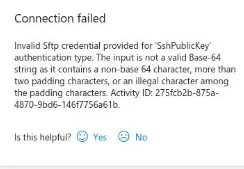
“Invalid Sftp credential provided for ‘SshPublicKey’ authentication type. The input is not a valid Base-64 string as it contains a non-base 64 characer, more than two padding characters, or an illegal character among the padding characters.”
The Linked Service was using a Key Vault to obtain the SSH Key to be used in the connection. The SSH Key had been uploaded as a Secret to the Key Vault using code similar to the following:
az keyvault secret set --name sshkey --vault-name akv-dev --file test.ssh --description "Test SSH Key"After reading through the documentation on the az keyvault secret set call I noticed this:
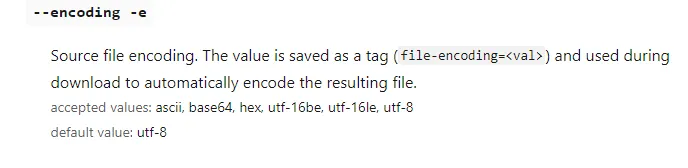
So, the default is not base64 but utf-8.
We modified the az call to this:
az keyvault secret set --name sshkey --vault-name akv-dev --file test.ssh --description "Test SSH Key" --encoding base64i.e. with the addition of the –encoding base64 part and then it worked fine.
References
Need a hand with something like this? Talk to us.